
 ChatGPT
 Perplexity
 Claude
 Gemini
 Grok
Grok
Fashion photography has had the same cost structure for decades. Book a studio. Cast models. Schedule hair and makeup. Hire a photographer. Run post-production. Repeat for every season, every collection, every channel requirement.
A mid-size brand with 200 seasonal SKUs spends $200K–$500K per year doing this. The output is beautiful. The process is slow, expensive, and doesn’t scale.
AI fashion models change the math entirely. This guide covers how they work, how to use them, and where they fit in a serious ecommerce visual strategy.
What Are AI Fashion Models?
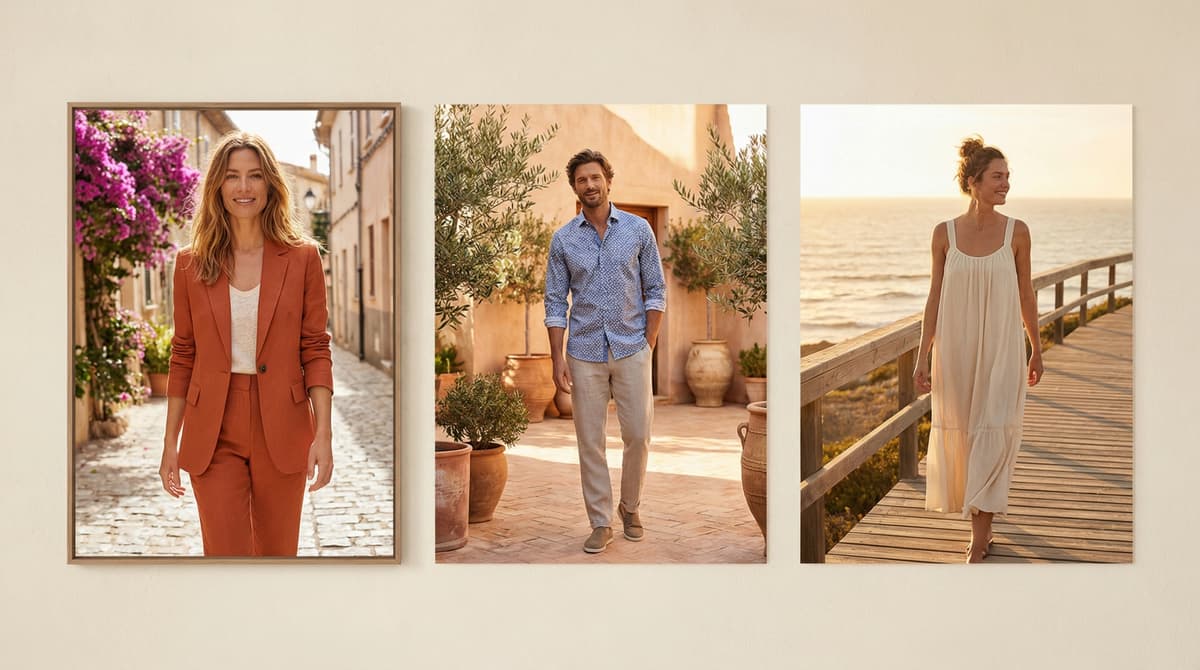
AI fashion models are generative AI systems that place clothing on photorealistic virtual models.
The input is a product image – flat lay, ghost mannequin, hanger shot, or supplier render. The output is a styled, on-model photograph showing the garment worn by a realistic human figure in a specified context.
The model’s appearance (ethnicity, body type, age, hair, height, posture) is configurable. The setting, lighting, and composition are adjustable. One product generates dozens of variations without a single studio day.
This is different from earlier virtual model technologies, which produced stiff, uncanny-valley outputs that customers immediately recognized as fake. Modern AI fashion model generators produce results that pass at platform resolution for most ecommerce use cases.
How AI Fashion Model Generators Work
The technical stack behind AI fashion model generation combines several systems working together.
Diffusion models generate the base human figure and scene. These are trained on large datasets of human photography and produce photorealistic renderings from text and image prompts.
Garment conditioning preserves the product’s visual accuracy through the generation process. The system maintains fabric texture, color accuracy, and design details – logos, seams, hardware, print patterns – while adapting the garment to a natural wearing position on the generated figure.
ControlNet guidance handles garment geometry. Clothing has physical rules: how fabric drapes, where it creases, how it interacts with the body underneath. ControlNet applies these physics constraints to prevent artifacts. Buttons that merge into fabric. Sleeves that fuse to torsos. Waistbands that float incorrectly.
IP-Adapter locks the model’s identity across multiple generations. If you’re building a cohesive brand campaign with a consistent AI model character, IP-Adapter ensures the face, skin tone, and general appearance stay consistent across product variations and shots.
Inpainting and background generation create the scene around the model. Studio white background, lifestyle location, urban environment, natural outdoor setting – all generated from text prompts or reference images.
The combination produces results that, at PDP thumbnail resolution, are largely indistinguishable from professional photography.
What to Look for in an AI Fashion Model Generator
Not all AI fashion model generators are built for ecommerce scale. These are the capabilities that separate production tools from demos.
Garment fidelity. The system must preserve color accuracy, print patterns, embroidery details, and hardware. A generator that produces beautiful models wearing a blurred approximation of your product is not usable.
Size and body type range. A single model size does not represent a brand’s customer base. Production-grade systems generate across diverse body types, sizes, and heights. Customers who see themselves represented convert at higher rates.
Ethnic and demographic diversity. Brand campaigns that include diverse representation consistently outperform homogeneous casting in engagement metrics. The AI system should support this without additional manual work.
Batch processing. At 200+ SKUs, you need a system that processes multiple products simultaneously. Single-image generation workflows don’t scale to catalog volume.
Brand consistency controls. The ability to lock model appearance, maintain consistent styling, and apply brand-specific aesthetic guidelines across a full collection.
Quality scoring. Outputs vary in quality. Production systems score each generation automatically and surface the best results, reducing the manual review burden.
Platform integration. Direct publishing to Shopify, auto-linking to SKU data, Meta and Google Shopping asset specifications – these integrations save significant post-generation workflow time.
ShopOS integrates AI fashion model generation into a broader commerce context graph. Generated images link directly to SKUs, get scored by the Vision AI system, and feed performance data back into future generation prompts. The system learns which model treatments convert for each brand over time.
AI Fashion Models vs. Traditional Fashion Photography
The comparison is about economics and use cases, not quality.
Traditional fashion photography strengths
- Highest possible quality ceiling for hero campaign imagery
- Art director control over every physical detail
- Authentic motion and expression in video
- Brand narrative built through real-world creative choices
- Appropriate for print, billboard, and high-production-value media
AI fashion model strengths
- Dramatically lower cost per image ($5–30 vs. $200–1,000)
- No scheduling constraints – generate on demand
- Unlimited variation production (20 color variants of the same product in the same setting)
- Consistent model appearance across catalog without casting continuity challenges
- Regional and demographic customization without separate shoots
- Production speed measured in hours, not weeks
Where AI wins clearly
- Product detail shots and PDP imagery across a full catalog
- Marketplace listings (Amazon, Zalando, ASOS) where image standards are specific but volume is high
- Regional campaign variations (same campaign, localized model appearance and context)
- New SKU launches that can’t wait for a quarterly shoot schedule
- Social content at scale – 50 variations to test vs. 3
Where traditional photography holds
- Brand hero campaigns for major media placements
- Video content requiring natural movement
- Luxury brands where material quality storytelling is central
- High-stakes launches with significant paid media investment behind specific creative
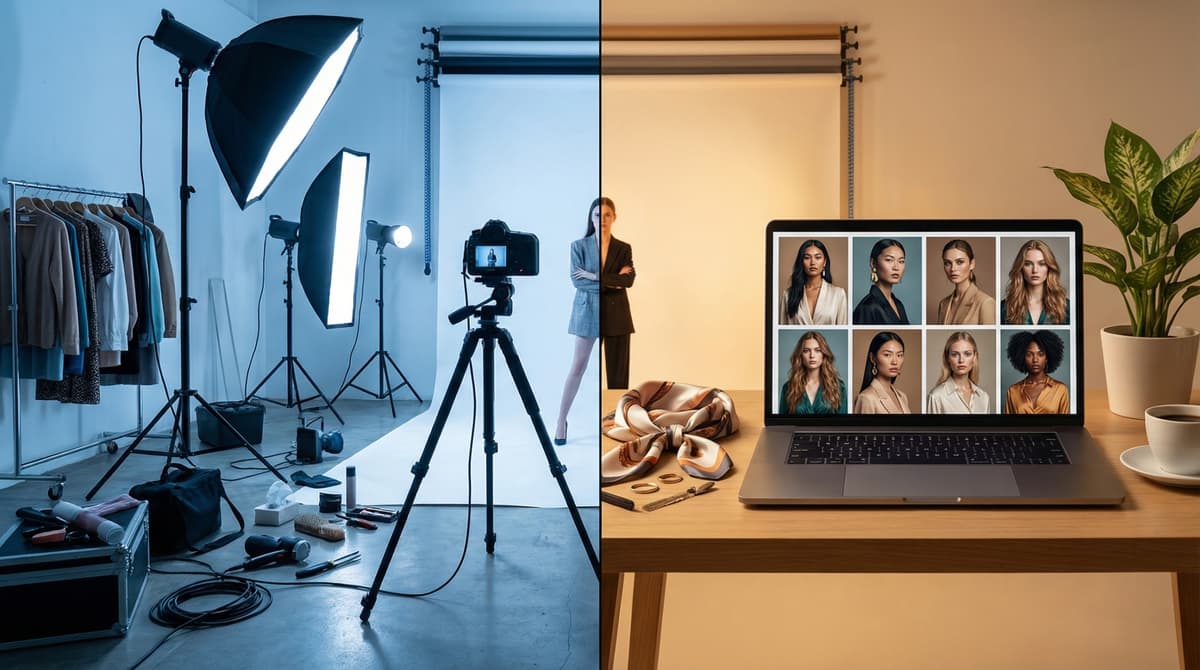
The production ratio shifts from 80% traditional / 20% AI to 20% traditional / 80% AI. Traditional photography becomes reserved for the highest-stakes creative. AI handles everything else.
AI Fashion Photography for Product Pages
Product pages are the highest-leverage location for AI fashion model imagery.
Most ecommerce brands struggle with PDP image quality at scale. They have excellent photography for their bestsellers and thin, low-quality imagery for the long tail. Customers browsing the long tail – which often represents 40–60% of SKUs – get a worse experience.
AI fashion photography solves this asymmetry. Every SKU gets model imagery. Every product shows on-figure context. Every size variant can show the product worn by a body type matching that size.
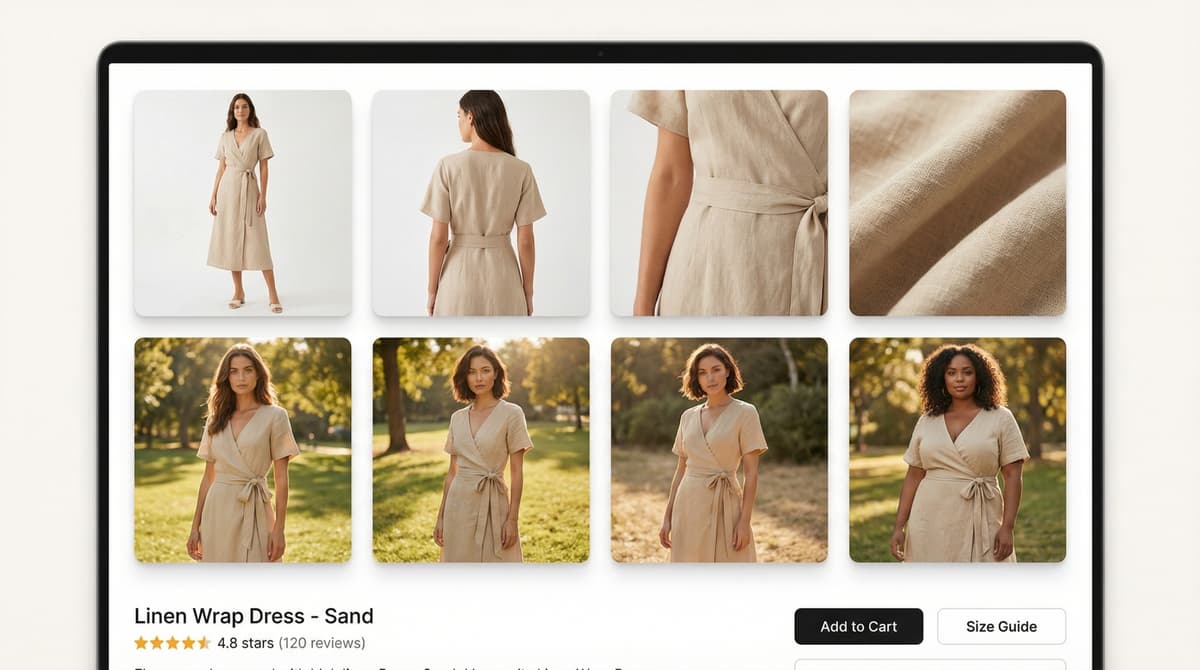
What high-performing PDP imagery includes:
- Front-facing model shot showing overall silhouette
- Back view showing full garment construction
- Detail shots: fabric texture, hardware, embroidery, prints
- Lifestyle context (if appropriate for category) showing the product in use
- Multiple body type representations for size variants
- Studio and lifestyle versions for different customer intent states
AI fashion model generators produce all of these from a single product source image.
Technical specs for major platforms:
| Platform | Minimum Resolution | Background | Format |
| Shopify | 2048×2048px | White or neutral (thumbnails) | JPG or PNG |
| Amazon | 1000px longest side | Pure white (255,255,255) for main | JPG |
| Instagram Shopping | 1080×1080px (1:1) or 1080×1350px (4:5) | Any | JPG or PNG |
| Google Shopping | 250×250px (apparel) | White or light gray | JPG, PNG, GIF |
Modern AI fashion model platforms export at platform-specific dimensions automatically.
How AI Fashion Models Reduce Production Costs
The cost comparison at different production scales:
| Brand Size | SKUs/Season | Traditional Cost | AI Cost | Savings |
| Small | 50 | $40K–$80K | $2K–$5K | 85–95% |
| Mid-size | 300 | $150K–$400K | $8K–$20K | 88–95% |
| Enterprise | 2,000+ | $800K–$2M | $30K–$80K | 90–96% |
The savings figures are real. They also miss the more important point.
The value of AI fashion model generation compounds over time. A brand that generates 50 image variations of every SKU can test which visual treatments convert. The winning treatments inform future collection photography. The testing flywheel improves conversion rate quarter over quarter.
A brand that photographs 3 hero images per SKU and calls it done has no testing data, no variation performance history, and no improving trend.
The economics of AI production enable the testing density that drives continuous improvement.
Creating Brand-Exclusive AI Fashion Models
Most AI fashion model generators use randomized or template-based model appearances. Advanced platforms allow brands to create proprietary model characters.
Brand-exclusive AI model creation involves:
- Define appearance parameters. Ethnicity, approximate age range, build, height, facial features.
- Generate a seed model from those parameters.
- Run identity locking (IP-Adapter) to ensure consistent appearance across thousands of generations.
- Apply brand-specific styling guidelines. Hair treatment, makeup, posture conventions, expression direction.
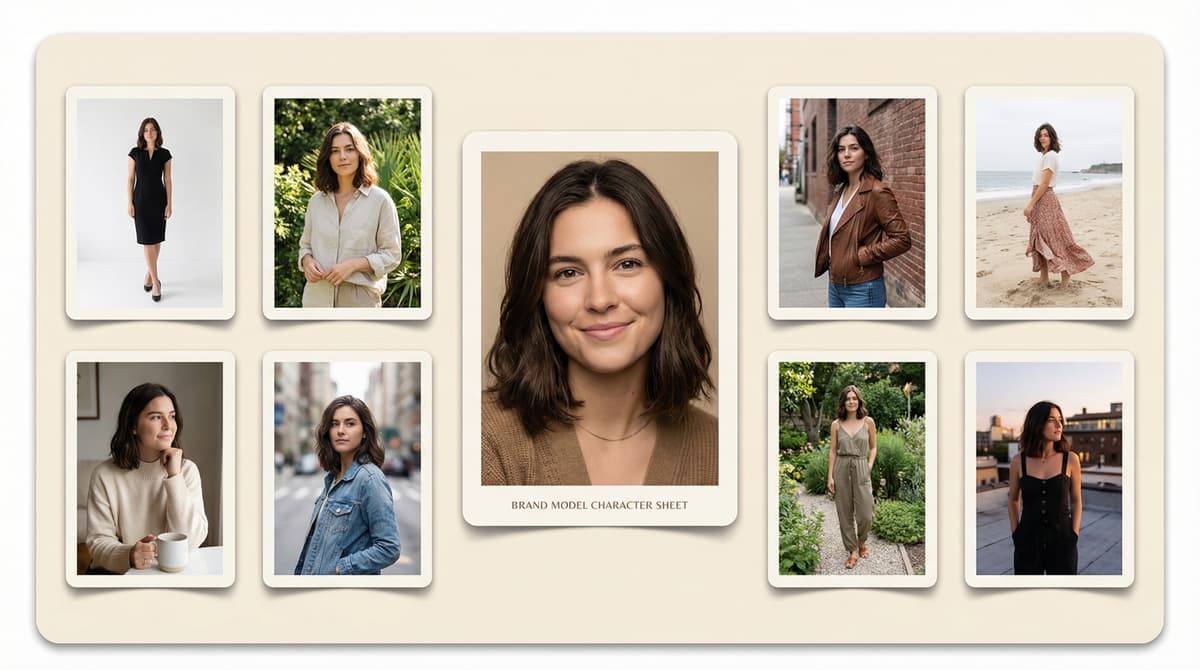
- Create a model character sheet that serves as the generation seed for all future content.
The result is a virtual model that belongs to the brand. She appears in every product shot, every campaign, every piece of platform content – with consistent appearance, consistent styling, and adjustable context.
For brands with strong visual identity, this consistency is a meaningful brand asset. Customers associate the model’s appearance with the brand. The visual language becomes recognizable across platforms.
For agencies managing multiple brands, brand-exclusive model creation ensures complete visual separation between client accounts. No risk of one client’s model appearing in another client’s content.
AI Fashion Models for Shopify Stores: Implementation Guide
Adding AI fashion model imagery to a Shopify store follows six steps.
Step 1: Audit existing product imagery. Identify SKUs with only flat lay or ghost mannequin images. These are the highest-priority candidates for AI model upgrades.
Step 2: Prepare source images. Clean, well-lit flat lay photography produces the best AI generation results. The garment should be spread naturally, showing its full shape. Remove shadows where possible.
Step 3: Configure generation parameters. Set model appearance, background style, lighting direction, and styling context. For a cohesive catalog, maintain consistent parameters across all SKUs in a collection.
Step 4: Generate and score. Run batch generation. Review quality scores. Most systems surface a top selection automatically. Spot-check for garment fidelity, particularly on prints and details.
Step 5: Export and upload. Export at Shopify specifications (2048×2048px minimum). Use Shopify’s bulk image upload or the API for large catalogs. Map images to correct variants.
Step 6: A/B test. Set up a simple test: flat lay vs. on-model for a sample of SKUs. Measure add-to-cart rate and conversion rate. Most brands see 15–40% improvement with on-model imagery.
[IMAGE: A six-step horizontal flow with simple icons for each step. Step 1: magnifying glass over a product grid (Audit). Step 2: a clean flat-lay photo (Prepare). Step 3: sliders/controls interface (Configure). Step 4: a grid of generated images with quality scores (Generate & Score). Step 5: Shopify logo with upload arrow (Export & Upload). Step 6: split-screen A/B test showing flat lay vs. on-model with a conversion rate delta (Test). Caption: “From audit to live A/B test in six steps. Most brands complete this in a single week for their first collection.”]
ShopOS integrates this workflow directly with Shopify. Generated images auto-link to SKU data, export at platform specifications, and performance data feeds back to the generation system.
AI-Generated Models for Marketplace Catalogs
Marketplace listings have specific requirements that differ from brand website standards.
Amazon apparel:
- Main image: white background, model showing full garment, no props
- Secondary images: detail shots, lifestyle images, sizing references
- Video: product demonstration, model movement
- Amazon has specific brand integrity standards. AI-generated imagery must meet the same visual quality standards as photography. Low-quality AI outputs that show generation artifacts will trigger listing suppression.
Zalando:
- Strict front/back/detail image requirements
- Color accuracy requirements with tolerance specifications
- Model on white background for catalog consistency
ASOS:
- Brand partner program allows lifestyle images
- Diverse model representation encouraged
- AI-generated imagery acceptable with quality standards
The practical rule: generate at high resolution, quality-score all outputs before uploading, and verify garment accuracy manually for any product with significant print or detail work. The platforms that review imagery for quality penalize low-quality AI outputs the same way they penalize low-quality photography.
Scaling Ecommerce Visuals With AI Fashion Models
The brands extracting the most value from AI fashion models treat visual production as a continuous pipeline, not a seasonal event.
The continuous visual pipeline:
New SKU arrives → AI model imagery generated within 24 hours → Product live on site.
A/B test runs → Winning visual treatment identified → Applied to similar SKUs across the catalog.
New campaign angle identified (trend, seasonal, promotional) → Variation batch generated → Tested across channels.
Performance data feeds back → Generation parameters refined → Next batch starts from a stronger baseline.
This pipeline operates independently of shoot calendars, model availability, and studio capacity. A new product doesn’t wait six weeks for the next scheduled shoot. It launches with quality imagery the day it arrives in the warehouse.
For brands doing wholesale and retail simultaneously, marketplace listings go live with the same quality imagery as the brand website – from day one of availability.
For brands in multiple geographies, regional visual variations (local model demographics, local setting contexts, local cultural styling cues) are generated in parallel. Not separately briefed and separately shot.
The economics of AI fashion model generation make visual variation a default, not an exception.
Start scaling your product catalog with AI fashion models →